Home >WinX HD Video Converter Deluxe FAQ

Digiarty Software Support & FAQ

It's our long-held consistent goal to provide our world-wide customers with the most competitive quality products and most satisfactory services.

FREE Support Support

support@winxdvd.com

We offer preferential email support for all of our registered users. Please feel free to contact us if you have any problems with our products. The better you describe the problem the sooner we will be able to solve it. Unregistered users can enjoy our effective email support, too.

FREE Sales Support

sales@winxdvd.com

Anything regarding sales issues is also welcome. Before emailing us your concerns or problems, you may browse the most commonly asked questions below. We're gathering more questions and answers on this page and upgrading them continuously.

Technical

Convert Videos for Enjoying on PC

Play Videos on Portable & Console Devices

Improve Quality and Speed

Others Questions

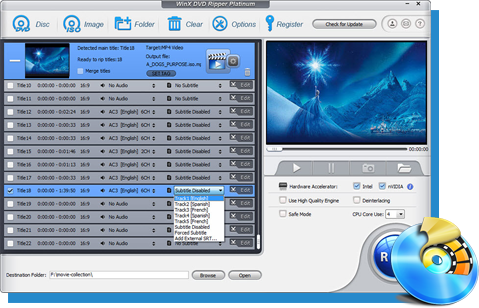
How to convert if my source video has multiple audio language tracks?

  1. WinX HD Video Converter Deluxe empowers users to convert Multi-track HD video M2TS, MKV, AVCHD, HDTV BDAV and MPEG-TS video movies with simple steps and high quality.
  2. 1. Launch the program and import the video.
    2. Select your wanted audio track in the file list windows.
    3. Choose output formats/devices and output folders.
    4. Click "Start" and go.
    You may also follow the detailed user guide.

Does WinX HD Video Converter Deluxe support Website videos, such as Youtube, Dailymotion, Yahoo! Video, etc?

  1. Yes, of course. WinX HD Video Converter Deluxe is an all-round video converting software which could help users convert nearly all website videos, e.g. Youtube, HD Youtube, Dailymotion, Yahoo! Video, Metacafe, Myspace, etc. To convert these videos, you just need to add the url of target video by clicking "YouTube" button, and then do as convert the general videos.

Is it possible to convert only a clip/segment of my video file?

  1. Yes, it is possible. If you'd like to convert a segment of the video, you can trim the clips by dragging the left or right slider bar under the preview windows or by defining the "Start Time" and "End Time" in the output setting area.

Why can't I convert DRM video?

  1. It is illegal to convert DRM protected video at the present, so WinX HD Video Converter Deluxe can't support this.

Why my Windows Media Player can't play the converted video?

  1. It seems that your Windows Media Player doesn't have right codecs for the files. Please download the program here: http://download.cnet.com/Ffdshow/3000-2140_4-10376914.h
  2. Back to Top

How can I make the video fit the full screen of iPhone/iPad/iPod without black line?

  1. Please click the drop-down menu beside "Output Image Setting". Then choose "Stretch to Full Screen". After finish converting, you can play the output video on iPhone/iPad/iPod without black line.

How to extract background music from video file for playing on portable devices?

  1. Import the source video file, and click "to Music" button. You will be able to extract the background music as MP3 music file.

How to import and transfer the converted video to iPhone/iPad/iPod/Apple TV/PSP?

  1. Please launch iTunes, go to menu File > Add File to Library to import converted video from output folder into iTunes. Or just drag and drop the video into iTunes. Press the Sync button to load the target video to your Apple devices.

Can this HD video converter transfer HD video from AVCHD M2TS(Blu-ray videos) and MKV TS to iTunes for my iPhone iPad?

  1. Yes. Built in 210+ different A/V codecs, WinX HD Video Converter Deluxe can not only convert H.264, MP4, MPEG, OGG, FLV, SWF, YouTube video to iPhone/iPhone4/iPhone 3GS/iPhone 3G/iPad, but convert Windows popular video AVI, MPG, Divx, Xvid, VOB, RM, RMVB, ASF, WMV, WTV to iTunes, iPhone, iPad compatible MP4 H264 video.
  2. In additon, it is a smart HD AVCHD M2TS and MKV to iPhone iPad video converter which can easily convert 1080P and 720P AVCHD M2TS video file to iPhone iPad compatible MP4 H.264 videos.

Can I edit video file name for proper display on my iPhone/iPad/iPod/Apple TV/PSP?

  1. Yes, you can. WinX HD Video Converter Deluxe owns the ability to make converted video display with proper file name on iPhone/iPad/iPod/Apple TV/PSP. To do this, please edit "Display Name" and "Artist Name" in the "File Setting" area.

Does WinX HD Video Converter Deluxe support Google TV video and VPX 8?

  1. Yes. WinX HD Video Converter Deluxe is continuously updated to support the new video formats in the market. Google TV is a new experience made for television that combines the TV. We have optimized our video converter to support converting GoogleTV WebM (Vpx8) to MP4, H.264, iPhone, iPad and iTunes.
  2. Back to Top

What's the "Video Quality"?

  1. The "Video Quality" is namely the output file video bitrate. 1500 kbps is a good choice if you need a good image quality. Increasing the video quality will increase the output file size and image quality. Reducing the video quality will reduce the output file size and the image quality. 1500 kbps will output a file size about 2GB with 3 hours movie (720x404 image size) with very good image quality.

How to improve quality of converted files?

  1. The output video quality is decided by many factors, say, original video, output format, frame rate, etc. There are some ways to improve output quality.
  2. 1. Change the output format to "MP4".
  3. 2. Please select "Use High Quality Engine" option. But it will increase the conversion process time.
  4. 3. Raise "kbps" in "Video Quality" setting area.
  5. 4. Choose "Deinterlacing" for converting interlaced scanning movie/video to progressive scanning video.

What if the original file's audio is out of sync with video?

  1. Please choose "Force A/V Sync" in the Advanced Setting area to have a try. WinX HD Video Converter Deluxe will rebuild the Audio and Video play time stamp to force it synchrony. This feature is useful even if your original video’s audio failed to sync with movie.

If the original video is corrupted, is it possible to convert and fix the corrupted video file with this program?

  1. Yes, it is possible. WinX HD Video Converter Deluxe is capable of fixing incorrect data automatically while converting. Meanwhile, this program makes it possible to convert even corrupted video files for smoothly playback on PC.

How to speed up video conversion with this HD video converter software?

    There are quite a few factors influencing the duration of conversion:
    1. The length and size of the original file.
    2. Output file properties such as resolution, video quality.
    3. Computer hardware level.

    And there are some tips that may be useful for speeding up conversion:
    1. The higher parameter the source video has, resolution, frame rate, etc, the longer it takes to convert the video.
    2. Please set the "CPU Core Use" in "Advanced Setting" area. WinX HD Video Converter Deluxe supports up to 8 CPU Core which dramatically improves the video converting speed.
    3. Close other operations on the computer when converting.

What do "Output Image Setting" and "Video Resolution" mean? How to keep image aspect ratio?

  1. You can adjust the video resolution to set the output image size. There are three choices available for general output video files:
  2. 1. Original Size and Keep Aspect Ratio. This option will lead an output with the original video image size (Automatically keep aspect ratio, and you can't adjust the width and height).
  3. 2. Custom Size and Keep Aspect Ratio (default setting). This option allows you adjust the image width. And it will calculate the height to keep the video image aspect ratio as original.
  4. 3. Custom Size with Custom Aspect Ratio. This option cannot calculate the width and height. Therefore, you can adjust the width and height. Maybe you will lose the image aspect ratio in the output file. Please calculate the aspect ratio by yourself.
  5. Back to Top

Could I burn my own made videos to DVD with this HD video converter?

  1. Yes, you could. WinX HD Video Converter Deluxe could facilitate users to burn both homemade and commerical videos to VOB files, DVD folders, DVD Disc for personal use.

I can convert only a few minutes of the video. Or it show "Stop Working" error message. Why?

    Reinstall it to non-system partition, like D:\, E:\ ..., if you have other partitions.
    Click "Browse" button to change output folder to non-system partition, like D:\, E:\...
    And please close other programs when converting.

    If it still not works, please check whether your video plays properly. Or you may use other videos to have a try.
    PS, Please download the latest version: http://www.winxdvd.com/download/winx-hd-converter-deluxe.exe

When I click to open the program, an error box pops up and says: "EAcess Violation". Please help me get it working again.

  1. Please uninstall the old version first and then install the latest version to have a try.
  2. And non-system partitions, like D: / E: /etc., are recommended to install.
  3. Download link: http://www.winxdvd.com/download/winx-hd-converter-deluxe.exe

Can I create personalized profile for further usage?

  1. Please click "Option" button on the upper navigation bar and select "Profile Setting". You can create personalized profile for devices by editing the video/audio parameters. Then change the "Profile Name" and click "Add". Finally, click "OK" to save the setting and quit.
  2. After that, when you convert video for the specific device, you can find your personalized profile by clicking "Profile Setting" drop-down menu.

I get this on every movie I put in: "The Output Folder is not writable....please select another one". What should I do?

  1. It means that you cannot write data to the folder you choose. Please select another folder as the output folder.