




How to Backup Blu-ray Discs to Computer Easily
WinX Blu-ray Decrypter can help you easily backup Blu-ray to computer as a M2TS file or a Blu-ray folder by removing all Blu-ray encryptions...
It is strongly believed that Blu-ray is on its way to replace traditional DVD for its greater capacity (25GB/50GB) and higher definition. It is also convinced that its price will eventually be lowered down to a great extent with the further introduction and popularization of advanced devices and technologies related.
As is known to most people, Blu-ray disc is expensive substantially for its powerful capacity storage and HD video support. Specifically, with up to 50GB capacity, it can store a 9-hour HD video or a 23-hour standard video maximally.
Accordingly, it will be extremely regretful if our Blu-ray discs cannot be played properly caused by carelessness, wet weather or over-long storage time, etc. So it is wise for us to backup Blu-ray to computer in case.

Is it Easy to Backup Blu-ray to Computer?
Blu-ray backup is a must to prevent Blu-ray from loss or damage and expand the life of it. However, there exists an agonizing problem in backing up Blu-ray to computer, that is, various encryptions and protections, such as BD-Live and BD+ copy protection, which are set for preventing illegal copy of Blu-ray discs. Even worse, these Blu-ray encryption technologies are updating increasingly. For example, the latest encryption version - MKB v25; BD+ copy protection has improved to the tenth generation.
Is there any reliable tool which can help the owners of Blu-ray discs conquer these technologies, and cope with all encryption means in the future?
Yes! Luckily, there is newly upgraded Bluray backup software called WinX Blu-ray Decrypter. It is an ideal Blu-ray to computer backup solution supporting all types of Blu-ray, like common Blu-ray disc, Disc BD-R and BD-RE, and is especially good at decrypting and backing up latest encrypted Blu-ray.
In order to make you better backup Blu-ray to computer, WinX Blu-ray Decrypter supports 2 backup modes, namely, Full Disc Backup and Title Copy modes. It is capable of backing up your Blu-ray to computer with HD output quality and all Blu-ray features.
How to Backup Blu-ray to Computer Smoothly?
In order to backup Blu-ray to your computer smoothly, you need to first download WinX Blu-ray Decrypter. Run it.
You can backup Blu-ray to computer either as a folder or a M2TS file. Choose the target mode between Full Disc Mode and Title Mode. Namely, Full Disc Mode refers to copying all content of Blu-ray to computer and save it as a folder;
Note: this Blu-ray decrypter will highlight the main title for you.
Title Mode refers to backing up Blu-ray to computer as M2TS video file with selected title. You can choose any title you want. Generally, main title contains the main movie content of Blu-ray, so is the most important one among all titles. If you need to copy main title, tick on the "Only Main Title" under "Title Mode".
Click "Run" to start the smooth decrypting and backup process then you can get a M2TS file or a Blu-ray folder in your computer.
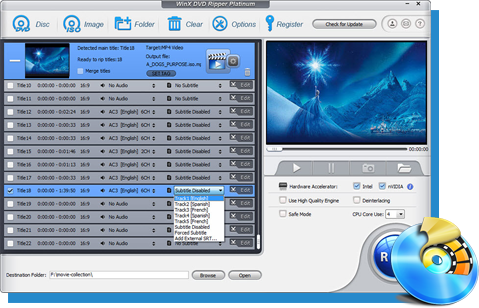
WinX DVD Ripper Platinum
The No.1 fast DVD ripper software to rip DVD to Sony PS3, PS4, PSP, Microsoft Xbox One, Apple iPhone iPad, HDTV, Android tablets, smartphones, etc. Convert DVD to MP4, AVI, MOV, YouTube FLV, MP3, AAC and more.
Please DO Not use WinX DVD Ripper to rip rental DVDs.
For Windows and Mac only. If you are a mobile user, please click here.