


Convert MKV to iPad MP4 / M4V Video, Play MKV on iPad 4 iPad Mini
Learn about Matroska MKV Video
MKV is open source HD video format which is flexible and open standard. Because of its advanced encoding method, MKV video can store a large number of video/audio data in relative smaller file size. It is wildly used by HD movie spread on the internet due to its befitting size and HD capacity. Mostly importantly, similar to DVD's structure, it is awesome to play MKV movie on your iPad 4/iPad Mini.
Learn about Apple iPad Device
For decades HDTV has been adopted to playback high definition videos. And by far HD viewing trend also blows to multimedia portable devices. Apple iPad is an ideal HD movie playback tool. The high-resolution, 9.7-inch 1024 x 768 display on iPad is made for bringing you remarkably crisp and vivid HD video enjoyment. While Apple's iPad 2 tablet follows on from the company's iPad and better bridges the gap between the iPod touch and iPhone models and its MacBook range of laptops.
Convert MKV to iPad 4 Supported Video before Playing MKV on iPad 4
To maximize iPad battery life, Apple engineers took the same lithium-polymer battery technology they developed for Mac notebook computers and applied it to the iPad. As a result, you can use iPad for up to 10 hours while watching MKV videos. It must be a great pleasure when you on the go and have no other entertainment. Besides, while playing MKV video on iPad, you can still keep the alternate audio tracks, multilingual subtitles and chapter points, as well as rich metadata authoring.
Note: your iPad will not support raw MKV video, but you simply need a MKV to iPad Converter software to help you. WinX HD Video Converter is one of best choice for converting and transferring MKV to iPad. (Free Download Mac Ver. or Windows Ver.)
Why Choose WinX HD Video Converter as your MKV to iPad Converting Tool?
Convert MKV to Apple iPad Compatible format - WinX HD Video Converter Deluxe helps you convert MKV to MPEG-4 H.264 video with m4v mp4 mov format, which can be recognized by your iPad/ iPad 2/iPad 3. After convert MKV to H.264 MP4, M4V, MOV, you can not only watch HD MKV TV series and movie on 1027 x 768 / 1280 x 720 / 1920 x 1080 display of iPad 4 , but also play MKV on iPad Mini, iPhone 5, iPod touch, Apple TV, etc., as well as your Mac media players like QuickTime.
Convert MKV to iPad Keeping HD Quality Level - you need not worry about quality loss after converting your HD MKV video to iPad in MP4/M4V format. Thanks to VBR (Vibrate Bit rate) encoding method, WinX HD Video Converter can choose the desired quality level and/or a range of allowable bitrates. The major advantage of using VBR coding for converting MKV to iPad is that, you can specify the output iPad MP4/M4V quality level.
Play MKV with iPad 4/iPad 3/iPad Mini on the go like Watch DVD - Convert MKV to iPad MP4/M4V video, you can still keep HD H.264 video with surround sound AAC audio and can also select one of advanced cinematic extras such as multi-audio tracks, multilingual subtitles, chapter points (great feature, especial on your Apple iPad, since it enables you to start the movie wherever you want), bonus content and more. Not only so, to reduce output MP4/M4V file size for making your iPad contain more MKV movies, you simply need to get rid some part of videos that useless to you, like unwanted language, subtitle tracks.
Convert MKV to iPad 4 with few minutes - Supports up to 8 core i7 CPU, WinX will give you fast MKV to iPad converting speed. Besides, owning to Hyper Threading Technology (Converting MKV to iPad MP4/M4V by multi threads at the same time, speed up the conversion timely), you can convert a 720 x 480 MKV video to MP4 format at 9x real time converting speed. Say after set MKV to iPad Conversion started, you can go away for a café, when you get back, WinX may have finished the job and let you watch HD TV plays, HD movie on iPad whenever wherever possible.
Specific Preset setting for your iPad - WinX HD Video Converter prepares exhaustive presets for all iPad types. It will save your great time to search and consult for the complicated parameter settings when you trying to convert MKV to iPad. As for senior users, you may need to make iPad preset your own. Then WinX will provide you one option to make it.
Free Download WinX HD Video Converter for Mac >>
Free Download WinX HD Video Converter Deluxe for Windows >>
How to Convert MKV to iPad with WinX MKV to iPad Converter

Convert MKV to iPad with WinX HD Video Converter
Step 1: Load your target MKV file by clicking "Add File".
Step 2: Under "to Apple" category select "to iPad". MKV to iPad 2 preset will be available soon.
Step 3: Set the destination of output file by clicking "Browse" button.
Step 4: Right click "Start" button to begin your MKV to iPad conversion.
Read on Detailed instruction for Mac OS Users >>
User Guide for Windows Users >>
Related Software
WinX HD Video Converter Deluxe : built in hundreds of A/V codecs and equipped with DVD Burner, Website Video Downloader function. As all-in-one HD Video Converter software, it helps you transcode among HD video formats like convert AVCHD M2TS to MKV, convert Blu-ray to MKV, MKV to MP4, etc. Moreover, it is embed with numerous profile settings for Apple, Sony, Microsoft portable devices as well as iOS, Android, Symbian mobile Phones. Convert MKV to iPhone, convert MKV to iPad are good examples.
WinX HD Video Converter for Mac: professional MKV to iPad MP4/M4V converter for converting HD Videos on Mac OS, provides the perfect solution to convert Blu-ray and videos from HDTV and HD camcorders, like JVC, Panasonic, Sony and Cannon. Running perfectly on Mac OS X Tiger/Leopard/Snow Leopard.
Related Source
MKV to iPad 2: Convert MKV video to iPad 2
WMV to iPad 2: Convert MMV video to iPad 2
MTS to iPad: Convert AVCHD MTS video to iPad
FLV to iPad: Convert FLV video to iPad
Blu-ray to iPad - Copy and Backup Blu-ray to iPad - Create Digital Copy of Bluray to iPad.
Definition and Description of MKV: MKV Video Format Reference Page
Definition and Description of iPad: A tablet computer designed and developed by Apple
Related External Source
Apple iPad - With 9.7 inch touch screen, it does things no tablet PC, netbook, or e-reader could.
MKV Video - Free Open Source HD Video format, born with future designs
Readers Feedback
"Usually Handbrake can help me convert DVD and videos to iPad. But when handling with HD video conversion, such as convert MKV to iPad, I'd like to find a Handbrake alternative MKV to iPad converter since HB just not always as stable as I expect. After give WinX MKV to iPad Converter a try, it is just fast and stable, and do not need anything else. Thanks. "
- Ivy
Special Offer: WinX DVD Ripper Platinum
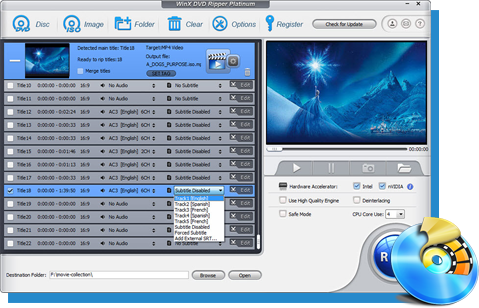
The ultimate DVD ripper software capable of ripping the content of DVDs to a wide range of mainstream video formats, such as AVI, MP4, MPEG, WMV, MOV, FLV, 3GP, etc. Users can also painlessly rip DVD (even encrypted DVD) to iPhone, iPod, iPad, iPod Touch, Apple TV, Android, Surface Tab, Galaxy Tab, HTC, Samsung, mobile phones, Sony PSP, Zune, etc.
Time-limited Special Offer: $59.95 ===> $39.95
Featured Products
- WinX DVD Ripper Platinum
- WinX HD Video Converter Deluxe
- WinX DVD Copy Pro
- WinX DVD Ripper for Mac
- WinX HD Video Converter for Mac
- WinX Bluray DVD iPhone Ripper
- WinX iPhone Ripper for Mac
- WinX iPhone Video Converter
- WinX iPhone Converter for Mac
- WinX Bluray DVD iPad Ripper
- WinX DVD to iPad Ripper for Mac
- WinX iPad Video Converter
- WinX Mobile Video Converter
M2TS to MKV, Rip DVD to AVI, DVD to iPhone, Blu-ray to MKV, DVD Copy, MKV to iPad, Free DVD Ripper, DVD to WMV, Make MKV, MKV to MP4, DVD Ripper for Mac, DVD to iPad, MKV to iPhone, MP4 to AVI, DVD Ripper, MKV to AVI, Blu-ray to DVD, Blu-ray to AVI, Blu-ray 1:1 Clone