WinX DVD to iPad Ripper User Guide
WinX DVD to iPad Ripper, professional DVD ripper software, could help you rip any DVD to iPad/Air/Mini (New) and Apple TV. It fully supports DVDs, including CSS, region code, RCE, Sony ArccOS, UOPs and Disney X-project DRM. Moreover, this DVD to iPad Ripper runs super fast. It cost only 30 minutes to rip a 2 hours DVD to iPad with excellent quality. Follow this tutorial to rip latest copy-protected DVD to iPad, Apple TV.

1. Get Started
1-1. Download
Click the button below to download a setup file of WinX DVD to iPad Ripper.
1-2. Install
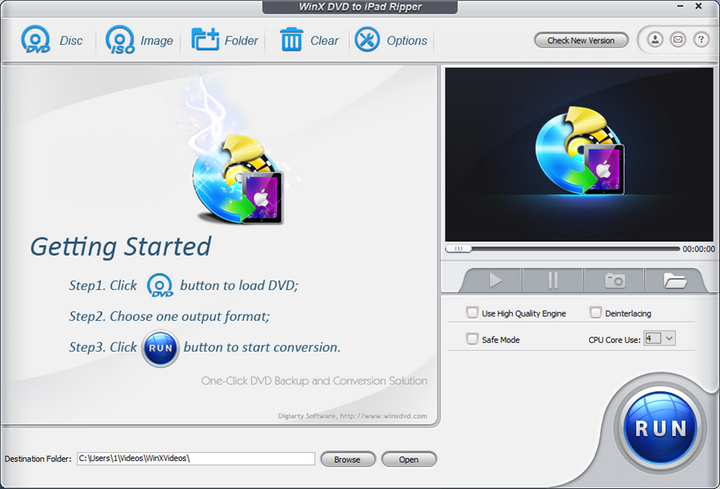
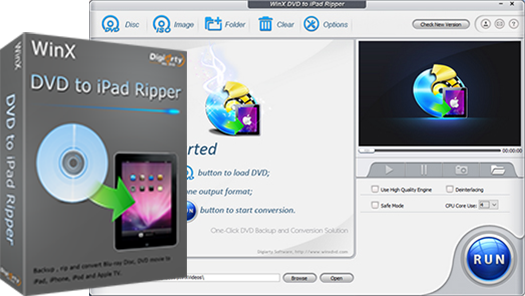
Double click "winx-dvd-to-ipad.exe" to install it. After installation, launch WinX DVD to iPad Ripper and you will see the main interface as below.

2. Basic Operation
You can operate DVD ripping in a few steps easily. Just do as following: Load DVD > Select Output Profile > Rip DVD.
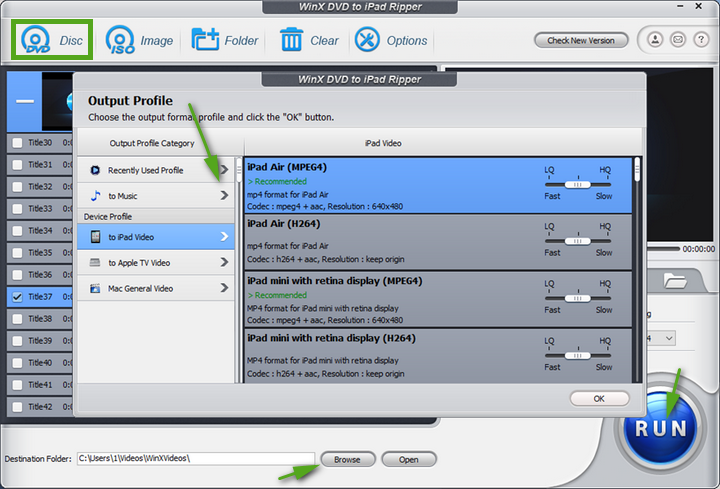
1. Launch the program and load the DVD Disc by clicking "DVD Disc" from your DVD Disc, or load DVD ISO image from HardDisk by clicking "ISO Image".
2. Select the output format as you wish, like DVD to iPad/Air/Mini (New), DVD to Apple TV, DVD to Mac General Video and DVD to MP3.
3. Click "Browse" button in Output Setting area and select a destination folder to save your converted video.
4. Start ripping. You can view the conversion progress and are able to cancel the converting process at anytime.
※ How to rip DVD if your DVD is adopted with the latest DVD Copy Protection?
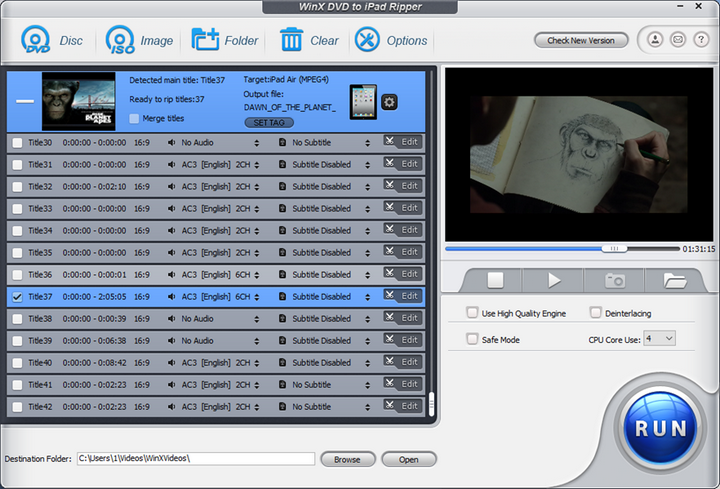
The lastest protected DVD by Disney, Paramount and Warner usually has 99 titles and the DVD movie size is larger than 40 GB. WinX DVD to iPad Ripper can perfectly remove such strong DVD Copy Protection. After you import the DVD, the software will automatically detect the correct title so that you can rip DVD from the main movie content with correct order.
You can also choose DVD title manually following the steps below.
1. Play the DVD movies first with DVD player software.Then when it comes to main content of the movie, please check the DVD title and record the title number.
2. Go back to WinX DVD to iPad Ripper, and tick the title number you record.
※ Other useful tips:
1. Trim video segment to convert by dragging slide bar under video preview window or setting "Start time" and "End time".
2. Select "Use High Quality Engine" or "Use Advanced De-interlace Accelerator" for better image quality.
3. Choose "CPU Core Use" or "Force A/V Sync".
4. Choose "Safe Mode" to smooth the conversion process. But converting under Safe Mode takes a little more time than normal mode.

Bonus Features
Q. Can I edit video file name for proper display on my iPad/Apple TV?
A. WinX DVD to iPad Ripper has a unique feature to make target video display with proper file name on iPad/Apple TV. To do this, please import DVD file, and select the output format. Then click "SET TAG" to edit video file name.
Q: How to extract pictures from DVD?
A. Select your favorite picture by dragging slide bar or by setting the "Start Time" and "End Time". Then click snapshot button to take picture appearing in the video and store as PNG.
Q. How to extract background music from video file?
A. Import the DVD Disc, and select "to Music" button. You will be able to extract the background music as MP3/AAC/AC3 music file.











 1. Get Started
 2. Basic Operation
 3. Bonus Featuress