



What Is HandBrake? HB Resources on History, User Guide, Problem Fixing and Alternative
What's HandBrake?
HandBrake is an open-source video transcoder designed to convert MPEG video (including DVD-Video) into an MPEG-4 video file in MPEG-4 Part 14 (.mp4) or Matroska (.mkv) containers. It is used to convert DVDs into other forms so they can be viewed on iPods, iPhones and with the Mac QuickTime Player. Originally developed for BeOS, HandBrake is now available for Linux, Microsoft Windows and Mac OS X.
With powerful DVD ripping and video converting ability, Handbrake helps you rip DVD movies to your Windows or Mac or Linux Hard Drive, iPod, iPhone, Apple TV, Android, Windows Phone, PSP, Xbox and generally any other video devices you may have. HandBrake can also rip encrypted and unencrypted DVDs but protection methods other than CSS aren't supported. The supported output video formats include mpeg-2, mpeg-4, xvid, h.264 and h.265. >> Learn more about HandBrake supported formats
Below are some HandBrake how-to-use guides on both Windows and Mac for ripping DVD or convert video, along with the troubleshooting tips on general HandBrake errors. If you're a green hand on all of this, downloading best HandBrake alternative for Windows (10) or Mac with more clear interface may make everything much easier.
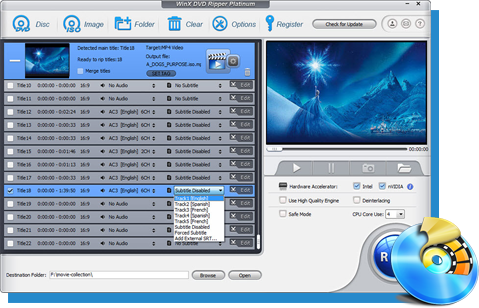
Download the best HandBrake alternative to rip any copy protected DVD movies to digital format
WinX DVD Ripper Platinum – Rip any types of DVDs like new releases, old discs, workout DVD, 99 title DVD, damaged discs etc. to MP4, MKV, MPEG-2, iPhone, Plex, Xbox etc and backup DVDs flawlessly at 5X faster speed with GPU acceleration enabled without installing any libdvdcss or codec package.
It'll cost you about 4 mins to read through this post, you can skip to:
- Part 1: How to Use HandBrake
- Part 2: How to Solve HandBrake Errors
- Part 3: HandBrake Update History
Part 1. How to Use HandBrake
• How to Use HandBrake on Mac OS X
Learn how to use handbrake on Mac to rip DVD, convert video for playback DVD/Video on Mac, iPhone 6, iPod touch 5, iPad etc. The detailed HandBrake user guide.
• How to Use HandBrake on Windows
Learn how to make good use of handbrake on Windows to convert DVD and all SD / HD videos (AVCHD, MKV, Blu-ray, M2TS), and put them on iPhone, iPod, iPad & Apple TV.
• HandBrake Blu-ray rip Tutorial
HOW TO use handbrake to rip Blu-ray DVD, convert video? This HandBrake Blu-ray tutorial teaches using HandBrake to rip Blu-ray...
• HandBrake Bluray to iPhone rip
Use HandBrake rip Blu-ray to iPhone 4, iPhone 3GS etc.? This HandBrake iPhone tutorial teachs how to rip Blu-ray to iPhone 4, iPod, Apple TV, etc...
• HandBrake Add Subtitle Guide
How to add subtitle to a movie with HandBrake freeware? This HandBrake Subtitle guide teaches easily adding soft or hard subtitle to movie video...
• Calculate HandBrake Video Bitrate/Quality
Learn how to calculate HandBrake video Bitrate, Quality settings and makes it more professional to use HandBrake to rip DVD/convert videos knowing about target size, bitrate etc.
• Create HandBrake iPad Preset Settings
Learn how to create HandBrake iPad preset settings to convert video & DVD with HandBrake iPad preset, and play DVD Video on iPad with self-made HandBrake iPad preset freely.
• Rip & Convert DVD to MP4 on Mac OS X
Learn how to rip and convert DVD movie to MP4 format on Mac by using HandBrake freeware. Read the Guide of using HandBrake for mac to rip convert DVD to MP4 on Mac OS X.
• How to Open and Play HandBrake M4V Videos
Learn how to solve - HandBrake occasionally defaults the destination file to be in the file extension of M4V.
Part 2. How to Solve HandBrake Errors/Problems
• How to Fix Handbrake Output Video Quality Poor
Get a bad video quality after encoding with Handbrake? Find the solution here.
• VOB to MP4 Aspect Ratio Distorted
How to Solve HandBrake Rip DVD VOB to MP4 Aspect Ratio Distorted issue? This HandBrake tutorial will help you...
• VLC Found But Not 64 Error
Learn to solve - This version of handbrake is 64 bit, VLC found but not 64! And find the best HandBrake 64 Alternative to solve HandBrake 64 bit VLC Error.
• Cannot Attach Subtitles To A Movie
Learn how to solve - When riping DVD to a file, and enable the subtitle option, but cannot find the subtitle on your output movie.
• Error Message: "No Titles Found"
Learn how to solve - when i click on the source of the dvd i get an error saying "no titles found. please make sure you have selected a valid non copy protected source"
• Some of DVDs only Rip Half Way
Learn how to solve - Some of my dvds only rip half way. Does anyone know what my problem might be.
• HandBrake "Error Opening" when Finished
Learn how to solve - sometimes, handbrake never seems to finish compressing a dvd. it just stays at 100%, eta 000000.
• HandBrake Crashes before Finishing
Learn how to solve - Before HandBrake finishes a rip of a relatively long title, like say 20+ minutes, it crashes right as it gets at the finish, and the rip is corrupted.
• HandBrake Convert AVI to MP4 Problem
Learn how to solve - trying to convert some avi files into mp4 files using handbrake, selected the apple presets, and then, the process starts then after a minute or so it crashes.
• HandBrake Cannot Rip DVD with 99 Titles
Learn how to solve - HandBrake detects all of the titles (there are 99) and the resulting file is only about 3 minutes long.
• HandBrake No Valid Source Found Error
Learn how to solve - When I clicked on the source of the DVD I got an error saying "no valid source found. Please make sure you have selected a valid non copy protected source" error.

HandBrake's History of Version Releases & Updatelog
Sunday, July 18, 2021 - Handbrake 1.4.0: Released!
The new version refines the HandBrake engine to support native 10 and 12-bit encodes, including HDR10 metadata passthru. It improved hardware encoding functionality for Intel QuickSync, AMD VCN and Qualcomm ARM devices. The Windows UI now requires "Microsoft .NET 5 Desktop Runtime".
Sunday, April 8, 2018 - HandBrake 1.1.0: Released!
This major release includes new features, as well as bug fixes and improvements for issues affecting previous HandBrake releases. Added new 2160p/4K device presets for Apple TV, Chromecast, Fire TV, and Roku. Added additional 2160p/4K Matroska presets. Improved Apple TV 4K support. Improved Intel Quick Sync Video support. Added Linux support (experimental). Added 10-bit H.265/HEVC encoding support for Kaby Lake and newer CPUs.Saturday, Dec 24, 2016 - HandBrake 1.0.0: Released!
HandBrake 1.0 is finally here after 13 years in beta. The most obvious improvement is the "completely overhauled official presets", which aims to help users transcode media file to be compatible for more devices (e.g Roku, Windows Mobile and Chromecat) and the web. VP9 video encoding via libvpx and Opus audio encoding/decoding via libopus are added to Matroska presets. And it can make use of Intel QuickSync Video H.265/HEVC encoder much better. >>For more HandBrake 1.0.0 details
Thursday, Feb 11, 2016 - HandBrake 0.10.5: Released!
The highlights include: removal of FDK AAC from our binary releases; updated x265 to 1.9 which brings bug fixes and performance improvements and few minor bug fixes since the 0.10.3 release, which including improvements in large AVI file handling.
Thursday, Feb 11, 2016 - HandBrake 0.10.5: Released!
The highlights include: removal of FDK AAC from our binary releases; updated x265 to 1.9 which brings bug fixes and performance improvements and few minor bug fixes since the 0.10.3 release, which including improvements in large AVI file handling.
Friday, Jan 22, 2016 - HandBrake 0.10.3: Released!
This time, it mainly fixed various bugs for all platforms and the core engine. Moreover, it updated x265 to 1.8 which brings numerous bug fixes and some performance improvements.
Tuesday, June 9, 2015 - HandBrake 0.10.2: Released!
Saturday, Mar 8, 2015 - HandBrake 0.10.1: Released!
Actually, HandBrake decided to publish release news more frequently than before this year. And those two versions just fixed bugs for all platforms and got performance improvingments since the 0.10.0 release.
Saturday, Nov 22, 2014 - HandBrake 0.10.0: Released!
Hundreds of new features, changes, and bug fixes are made. New encoders like Intel QuickSync Video, H.265, VP8 and LibFaac are introduced in this version. Through efforts, the latest UI is much more closer than ther previous one. Morover, audio and subtitle defaults have been overhauled so that user's default behaviours could be stored in presets.
Saturday, May 18, 2013 - HandBrake 0.9.9: Released!
Many new and widely requested features have been added and many more under the hood improvements have been made, including Blu-ray (PGS) subtitle support, Double framerate mode, better audio remix support, support for x264's preset, tune and profile options and much more.
Monday, July 18, 2012 - HandBrake 0.9.8: Released!
This is a release that has fixed small bugs in 0.9.6 and some bugs that cropped up with 0.9.7. This encompasses all the previous fixes for 0.9.6 including the new AppleTV3 preset and updated iPad preset.
Sunday, July 15, 2012 - HandBrake 0.9.7 Released!
This is a bug fix release for 0.9.6. We've decided to release an update for 0.9.6 that fixes a couple of common issues and adds a new preset for the AppleTV 3 and tweaks the existing iPad preset to support up to 720P.
Tuesday, Feb 28, 2012 - HandBrake 0.9.6: Released!
It's been a while since the last update, namely, 0.9.5. The version includes the usual library updates, and there are numerous improvements and bug fixes, specifically, updated libx264 (revision 2146), MPEG-2 encoder (from libavcodec), Advanced Options support for libavcodec encoders, audio gain control (increase/decrease audio volume), New AAC encoder, FLAC encoder (16-bit, MKV container only), Quality-based variable bitrate encoding support, etc.
Monday, Jan 03, 2011 - HandBrake 0.9.5: Released!
Windows/Mac/Linux: Our favorite DVD-ripping, Video-converting program HandBrake just updated today, bringing with it many annoyance fixes that speed up the process, like batch video scanning, queue editing, Blu-ray disc recognition, and drag-and-drop file additions in Windows.
Monday, Nov 23, 2009 - HandBrake 0.9.4: Released!
It added more than one thousand new and improved features. Associated with better video encoding engine - x264 project, HandBrake performs better than ever. HandBrake has a new, much improved compilation system, which allows easy 64-bit builds. 64-bit builds tend to perform approximately 10% better than their 32-bit.
Sunday, Nov 23, 2008 - HandBrake 0.9.3: Released!
There is now an official GTK graphical interface for Linux, available as a binary for Ubuntu. This is the real deal, interacting directly with HandBrake's core library instead of just putting a pretty face on a command line interface. It has full feature parity with the Mac interface.
Tuesday, Feb 19, 2008 - HandBrake 0.9.2: Released!
HandBrake 0.9.2 incorporates many major and exciting changes including full support for the AppleTV Take 2 and the latest iPhone/iPod Touch firmware. Mac users take note: this release is only compatible with Mac OS X Leopard, 10.5.
Monday, Oct 8, 2007 - HandBrake 0.9.1: Released!
This minor update squashes a number of glaring bugs. Most notably, HandBrake will no longer hang at the end of encoding MKV files with chapter markers. This means the Animation, Bedlam, Constant Quality Rate, Deux Six Quatre, Film, and Television presets are now usable.
Sunday, Aug 19, 2007 - HandBrake 0.9.0 Released!
Known issue in 0.9.0: Putting chapter markers in the MKV container causes a lockup at the end of the encode and results in an unusable file - Though HandBrake team apologized for this inconvenience, which will be rectified in 0.9.1, they still should be proud to announce the public release of HandBrake 0.9.0.
External Sources:
HandBrake - HandBrake is a free and open-source video transcoder, originally developed in 2003 by Eric Petit (aka "titer" from his SVN repository username) to make ripping a film from a DVD to a data storage device easier. Since then, it has undergone many changes and revisions...